Keep Turo. Add a direct business.
Keep hosting on Turo and run your own rental business beside it. RentHive gives you a booking website for your own customers, payments straight into your Stripe account, and a calendar synced with Turo so nothing is double-booked.
No card to start · 0% commission · 24/7 support

What a $600 trip leaves you, by where it's booked.
Marketplace host fees run from 10% to 40% of the trip. RentHive is a flat monthly price, so a renter who books you direct pays you, not a middleman.
$132.30 more on one trip. One trip like it covers a month of Starter ($99).
An example, not a quote. Marketplace fees depend on the plan you choose there. The card fee uses Stripe's standard US rate of 2.9% + 30¢; yours may differ, and Stripe bills it to your own account.
Now try it with your own trips.
Pick your Turo plan and how much you could book direct. The tools are the ones you'd otherwise pay for to run direct.
What the marketplace keeps today
Turo's US host plans let you keep 60–90% of a trip.
Agencies you'd pay to go direct
You keep about
$2,353 a month
$28,238 a year
Marketplace, agencies and tools$2,688/mo
Direct with RentHive Starter$99/mo
- Marketplace share on those trips
- $2,000
- Site build by an agency, over 12 months
- $42
- SEO agency
- $500
- Tools you won't need (2 people)
- $147
- Stripe's card fees on direct payments (2.9% + 30¢, paid to Stripe)
- −$236
- RentHive Starter
- −$99
How this is worked out+
What RentHive replaces (lowest list price, October 2026)
- Web design agency$500–15,000 once
- Local SEO agency$500–2,000/mo
- Website builder (Squarespace Business)$23–33/mo
- Car rental booking software$70–500/mo
- E-signature (Dropbox Sign, DocuSign)$15–45/mo
- Business email (Google Workspace)$7–8.40/user/mo
- Team chat (Slack Pro)$7.25–8.75/user/mo
- Task board (Trello Standard)$5–6/user/mo
Not counted
- Plug-in GPS tracker (Bouncie)$8/car/mo + $67 device
Marketplace share from Turo's US protection plans. Card fees at Stripe's standard US rate, assuming $600trips. The site build is spread over the first 12 months. RentHive's SEO covers the technical basics (titles, descriptions, sitemap, analytics); content and links are still yours to do. Left out: Stripe Identity checks and Smartcar, which those providers bill you directly either way, and RentHive's insurance checks (5 free, then $2 each). An estimate, not a quote.
Your Turo calendar, synced.
Connect Turo and your Turo trips appear on your RentHive calendar beside your direct bookings, close those dates on your website, and show up in your reports as Turo revenue.
Connect Turo
Open Settings → Integrations, choose Turo Calendar and follow the steps on screen. You do it once.
Your Turo trips appear
Booked, changed and cancelled Turo trips sync onto the right car. Each trip shows once, and a change on Turo updates it.
On your calendar
Beside your direct bookings, marked as Turo. A synced Turo trip closes those dates on your own website, so nothing is double-booked.
In reservations
Read-only, because Turo owns those bookings. Change a trip on Turo and the change syncs over.
In your reports
As their own revenue source, next to your website, the app and manual bookings, so you can see what each one earns.
What RentHive doesn't do with Turo
Syncing brings your Turo trips into RentHive. RentHive doesn't post to Turo or change your Turo calendar, so block dates you book direct on Turo yourself. Turo messages stay in Turo.
Direct bookings that are paid, checked and signed.
- A deposit hold placed the day before pickup and released after
- Your own change and cancellation rules
- Payment links and cards on file for returning customers
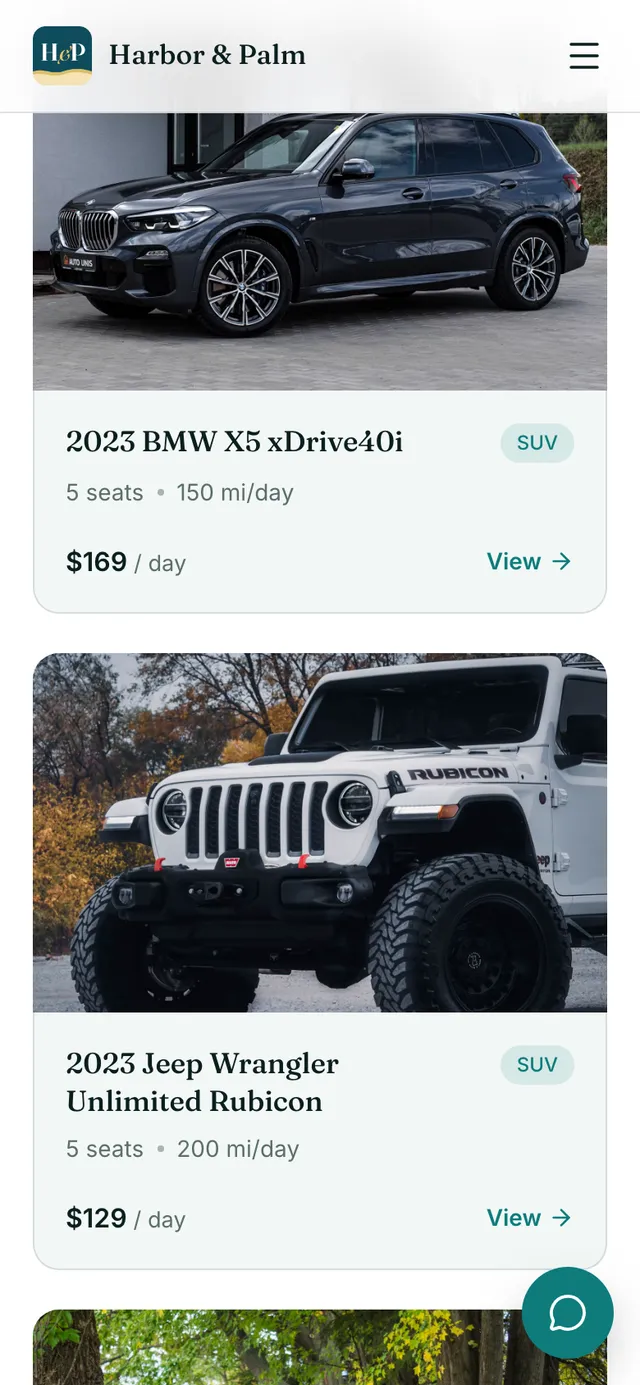
2022 Ford Mustang GT Convertible
Your total
Choose your dates to see the price.
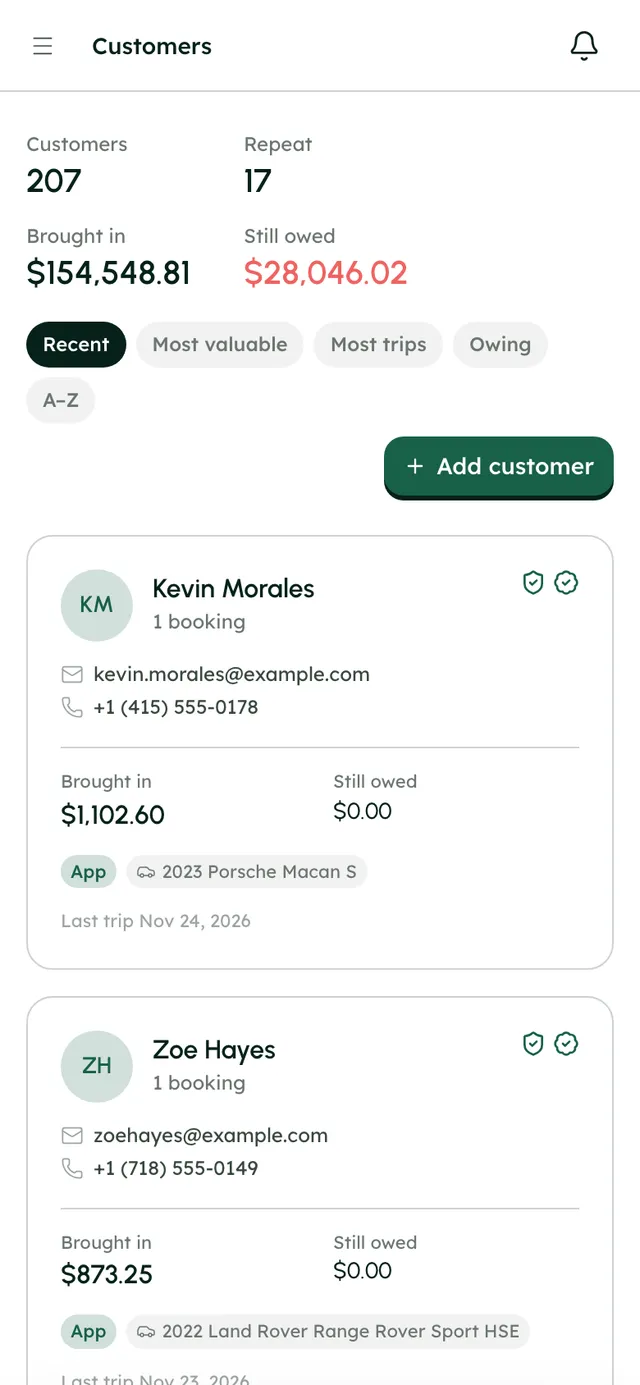
Your own customers, on your own records.
- Sort by most valuable, most trips or who owes you
- Block a renter you don't want back
- Talk to them in one inbox, by chat or email
Kevin Morales
1 booking
- Brought in
- $1,102.60
- Still owed
- $0.00
Last trip Nov 24, 2026
Zoe Hayes
1 booking
- Brought in
- $873.25
- Still owed
- $0.00
Last trip Nov 23, 2026
Five steps to your first direct booking.
- 1
Set up your website
Pick one of three templates and go live on a free RentHive address in minutes. Connect a domain you own whenever you're ready.
- 2
Connect Stripe
Renters pay straight into your own Stripe account. RentHive takes no cut of any booking.
- 3
Add your cars
Photos, prices and rules for each car you want to rent out on your own website.
- 4
Sync your Turo calendar
Connect Turo in Settings → Integrations, so your Turo trips sit on the same calendar and nothing is double-booked.
- 5
Share your link
Put your booking link on Instagram, your Google profile and your business cards, and share it with people who find you by referral or word of mouth.
Rather do it together? Book a free setup call and we'll set it up with you.
Questions, answered
More in the Help Center, or email us any time.
How does RentHive work with Turo?+
Your RentHive calendar syncs with Turo. Connect Turo in Settings → Integrations and your Turo trips appear on your calendar beside your direct bookings, close those dates on your website and show up in your reports as Turo revenue.
Will my direct bookings block the car on Turo?+
No. Syncing brings your Turo trips into RentHive. RentHive doesn't post to Turo or change your Turo calendar, so block dates you book direct on Turo yourself. The other way round works: a synced Turo trip blocks its dates on your own website.
Can the same Turo trip show up twice?+
No. Each Turo trip shows once. When it syncs again, RentHive updates the trip instead of copying it.
Can I edit a Turo trip in RentHive?+
Turo trips are read-only in RentHive because Turo decides their dates and price. Change the trip on Turo and the change syncs over.
Are my direct bookings insured?+
RentHive isn't an insurer and doesn't sell cover. A marketplace fee usually pays for that marketplace's protection, so talk to your own insurer about cover for direct rentals. What RentHive does is check the renter's own insurance through Canopy Connect and their ID through Stripe Identity before pickup.
What does RentHive cost?+
A flat monthly price by fleet size: Starter is $99 a month for up to 10 cars, Growth is $199 for up to 50. Every plan has every feature and RentHive takes 0% of your bookings. Start with a 7-day free trial, no card needed. Stripe's card fees and ID checks are billed by Stripe to your own account.
Keep Turo. Grow your own bookings beside it.
Start a 7-day free trial with no card, or book a call and we'll set it up with you.
0% commission · Cancel any time · 24/7 support by email