Every car on one timeline, every price worked out for you.
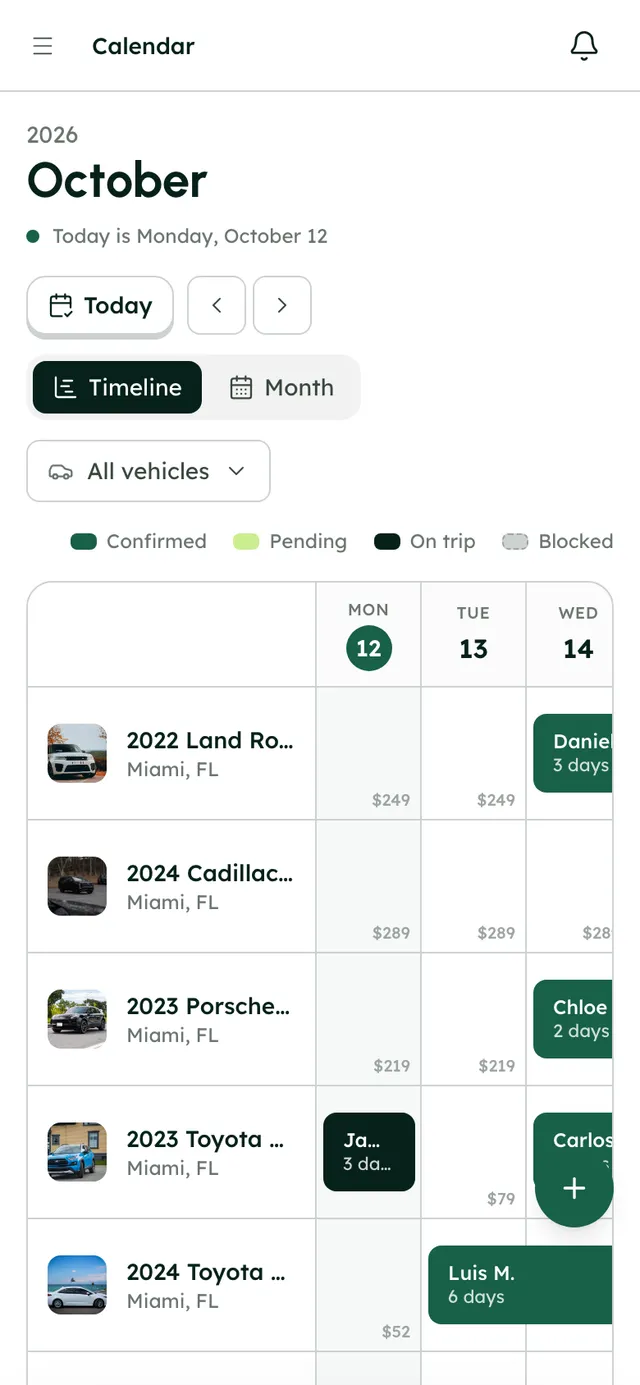
Each car gets its own row, with bookings from your website, the app and Turo side by side. Drag a booking to move it and RentHive reprices it, showing you the difference before you confirm. Blocks and maintenance keep cars off sale when they should be.
 Tesla Model 3Miami Beach
 BMW X5Brickell
 Mustang GT ConvertibleMiami Beach
 Tesla Model YMIA Airport
 Jeep WranglerBrickell
 Mercedes C 300Miami Beach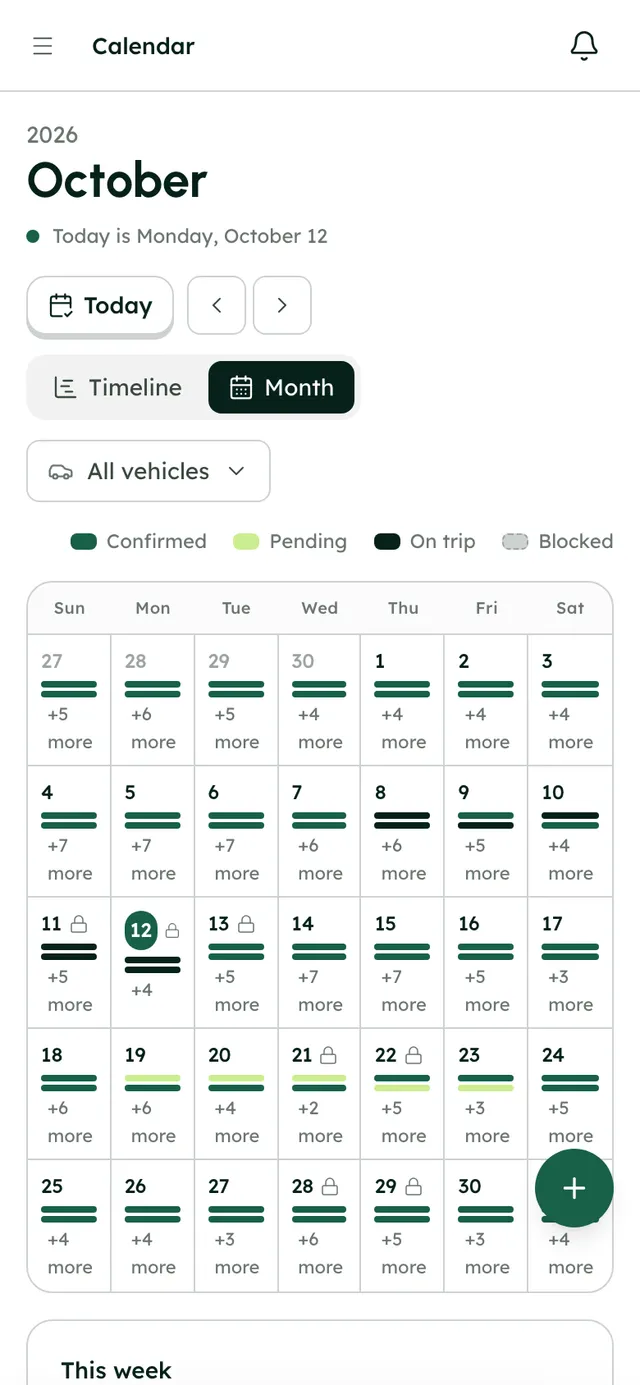
Put away the spreadsheet, the wall calendar and the calculator.
The moment
“Turo trips in one app, direct bookings in a spreadsheet, a car in the shop on a sticky note, and a double booking waiting to happen.”
The usual way
A spreadsheet of direct bookings
always one edit behindA wall calendar or Google Calendar
copied in by handA pricing calculator
sums done twiceRe-quoting by hand when dates move
what's owed now?A sticky note for the car in the shop
still bookable online
With RentHive
RentHive
Calendar & reservations
Reservations and checkout
Bookings from your site and the app, priced by the server
Timeline and Month views
Every car on its own row, every booking in place
One calendar for every source
Website, app and Turo trips side by side, pushed to Google if you like
Server-priced invoices
Rates, fees, taxes, extras and coupons in one total
Drag to reschedule
The new price and the difference, before you confirm
Blocks and maintenance
Dates come off sale on your calendar and website
One calendar that every other part of the business writes to.
Nobody updates availability by hand. Bookings, Turo trips and repairs close dates on your website the moment they happen.
Automatic3 of 5 steps happen without anyone doing them
- RentHive · automatic
A website booking appears on the timeline
Priced by the server from your rates, fees, taxes and discounts, with a numbered invoice.
- RentHive · automatic
A Turo trip syncs in
Your calendar syncs with Turo, so the trip lands on the right car and those dates close on your own site too.
- Andre · teammate
The Jeep goes in for brakes
A maintenance job takes it off the calendar and your website until it's back.
- Fatima · renter
She asks to keep the car a day longer
She asks from her trip page; you approve, the server reprices the trip and the invoice moves to version 2.
- RentHive · automatic
Your Google Calendar keeps up
Every booking is pushed to the Google Calendar you connect, so your phone's calendar is right too.


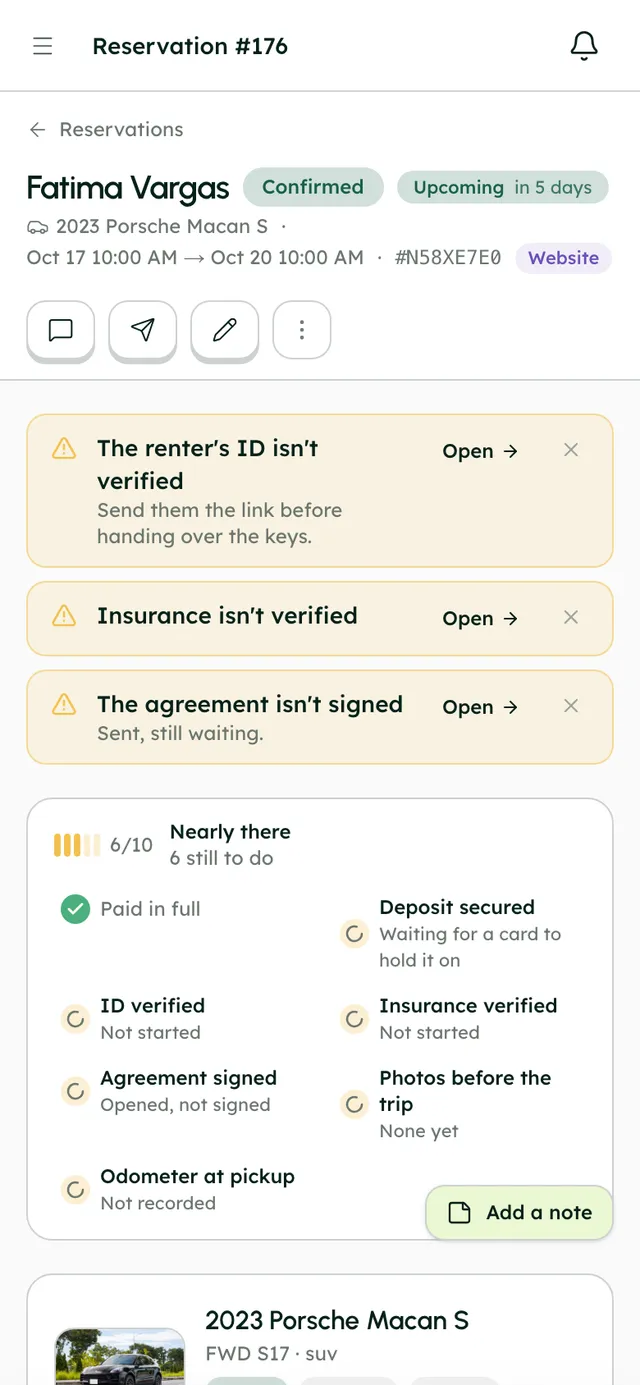
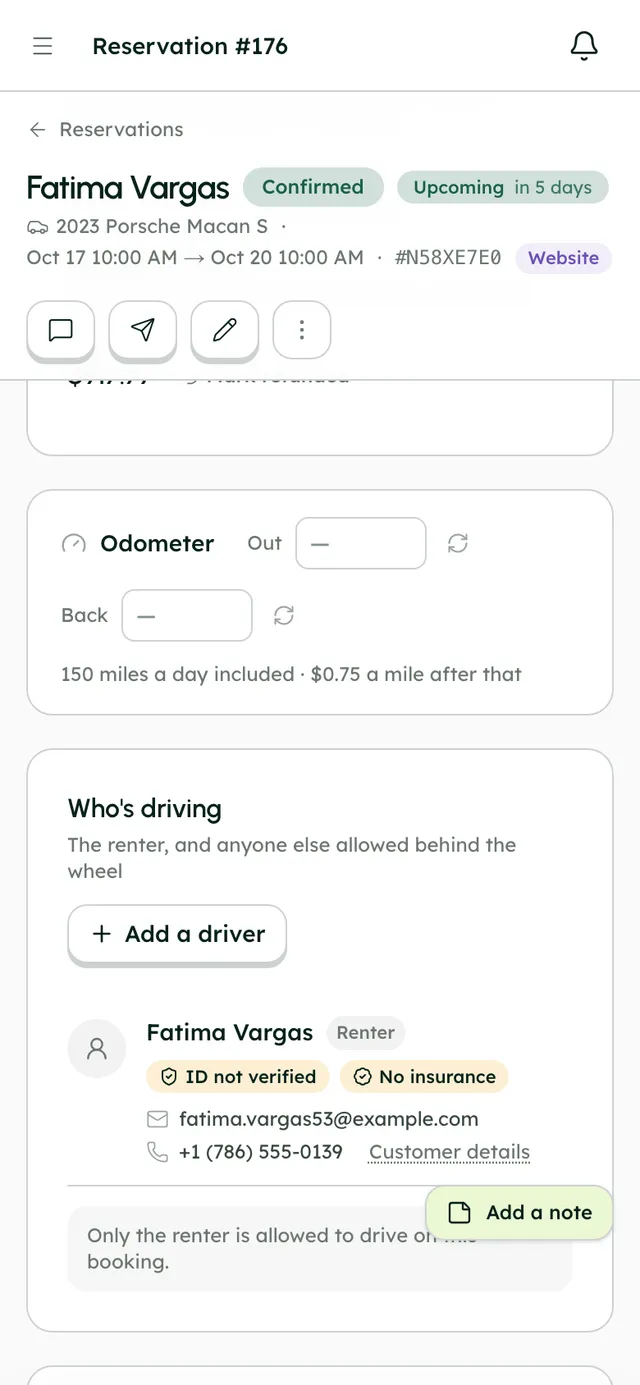
Book by hand in seven steps, checked as you go.
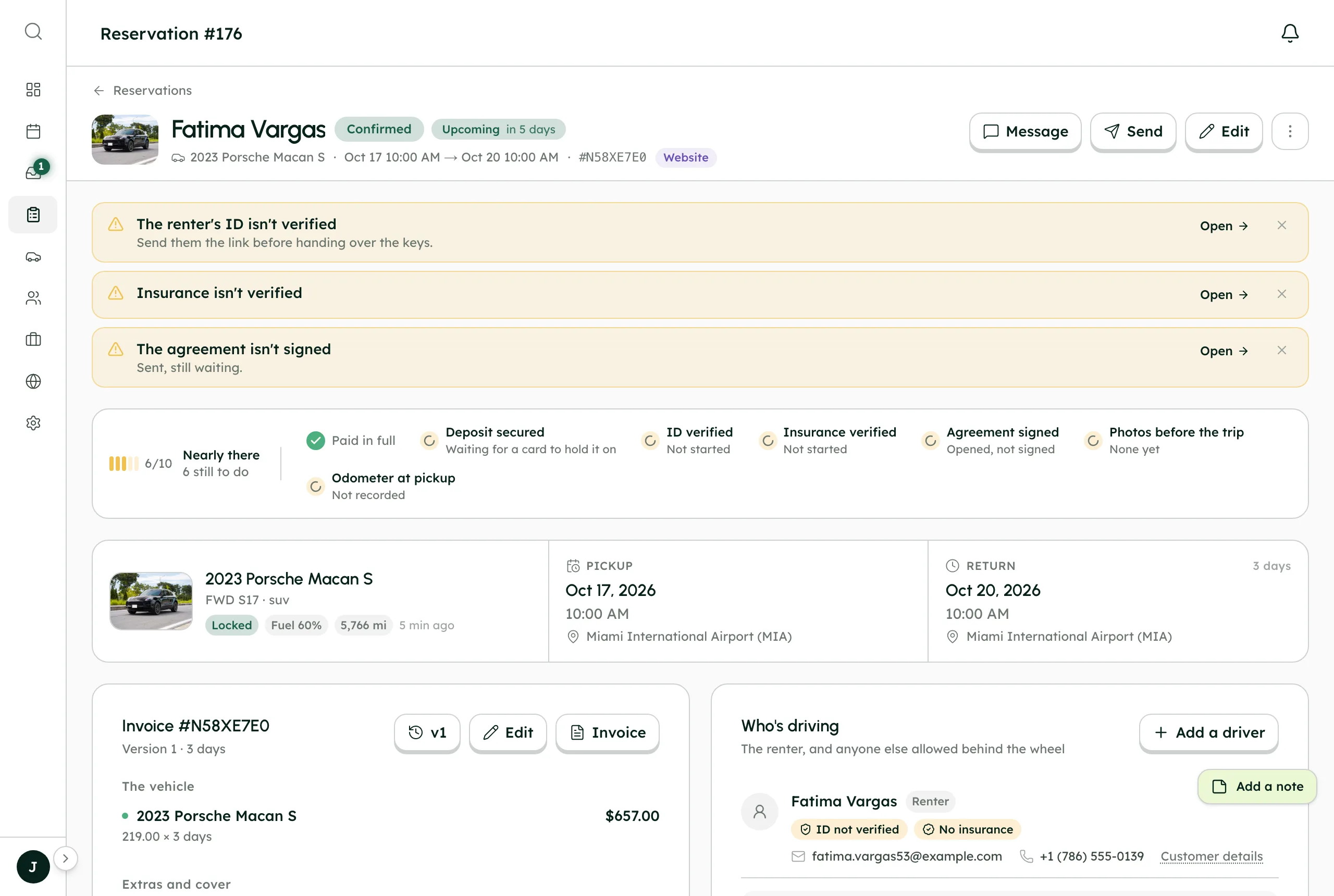
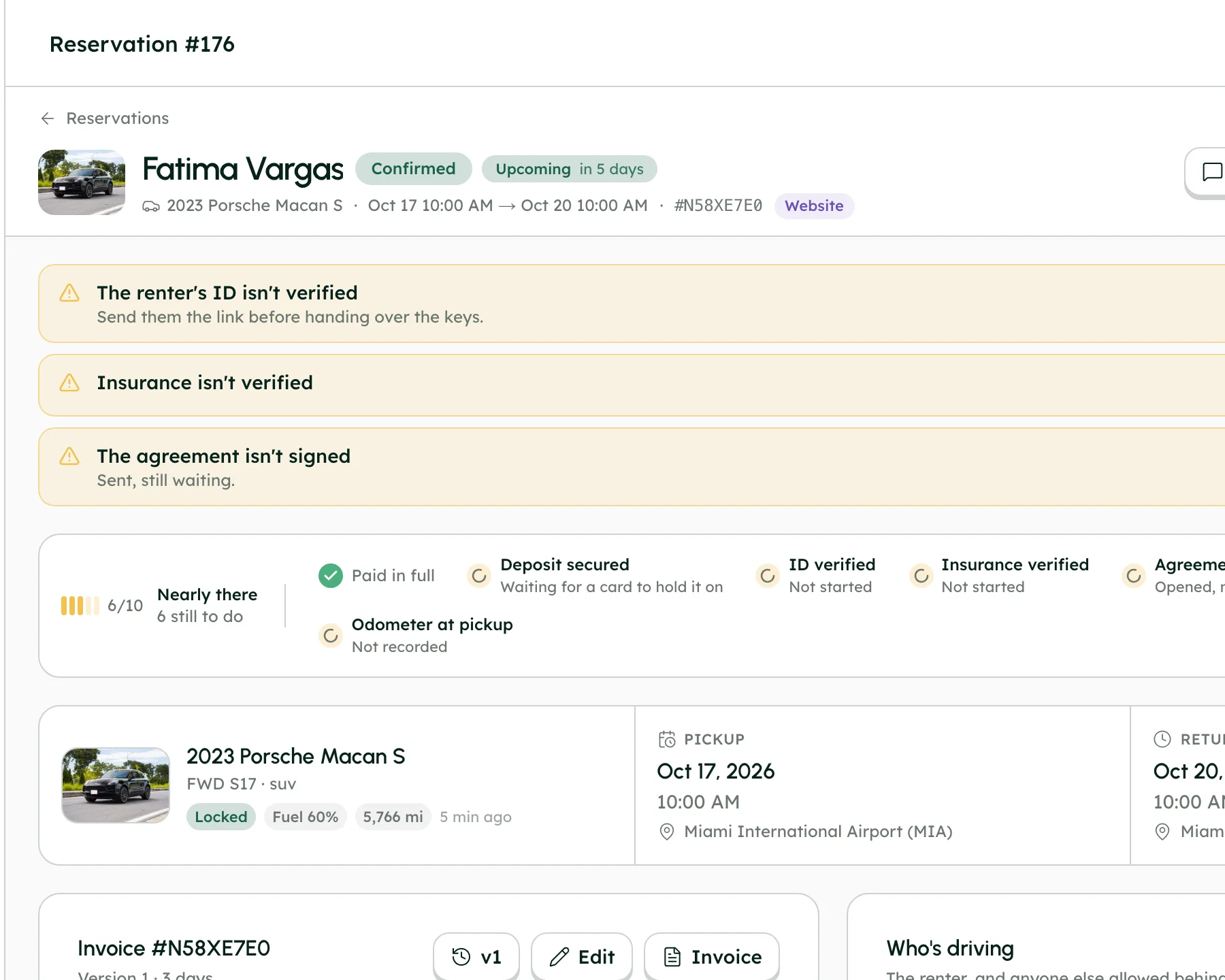
- Readiness: paid, deposit, ID, insurance, agreement, photos
- Renter change and cancel requests to approve
- Activity log and a readable version history
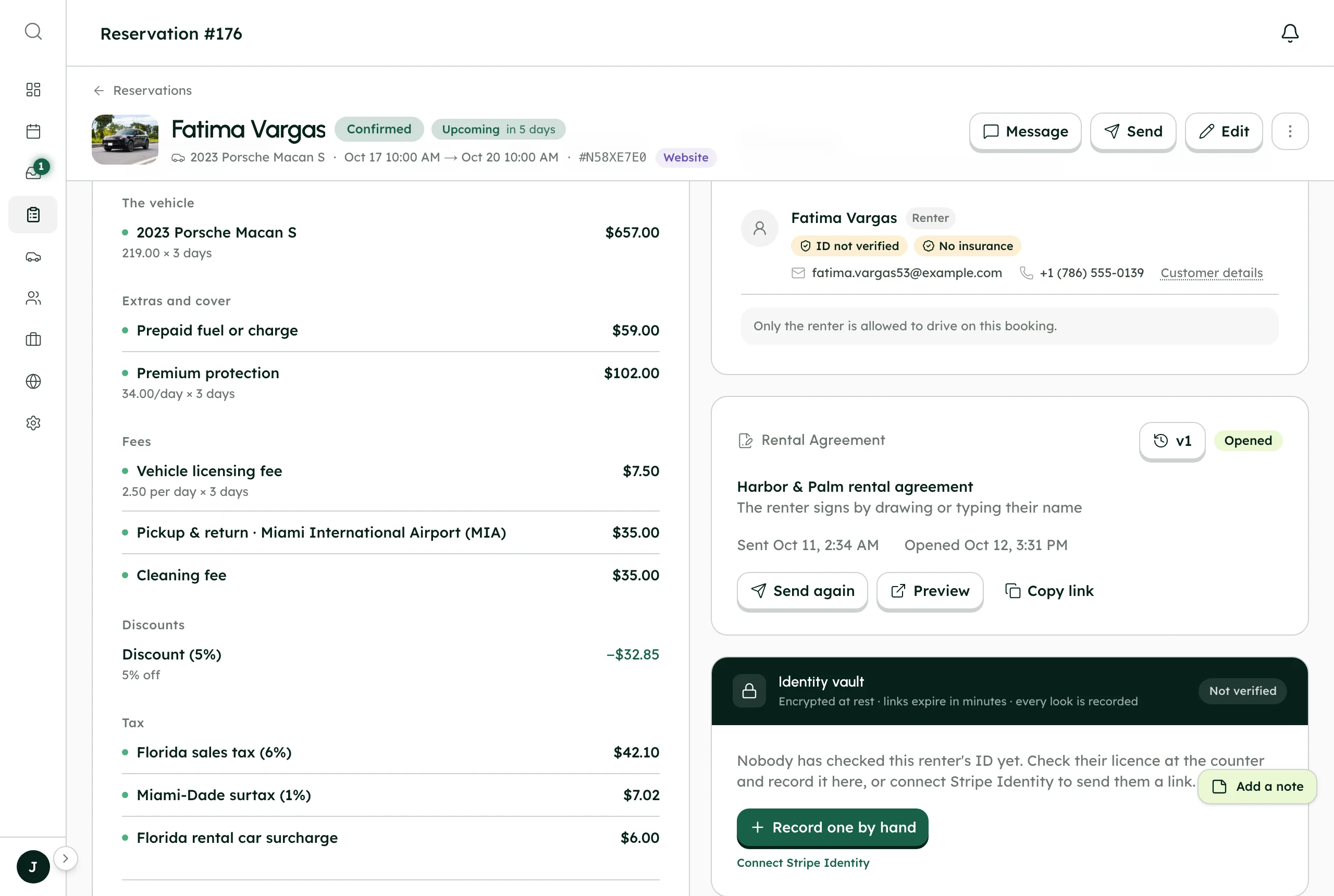
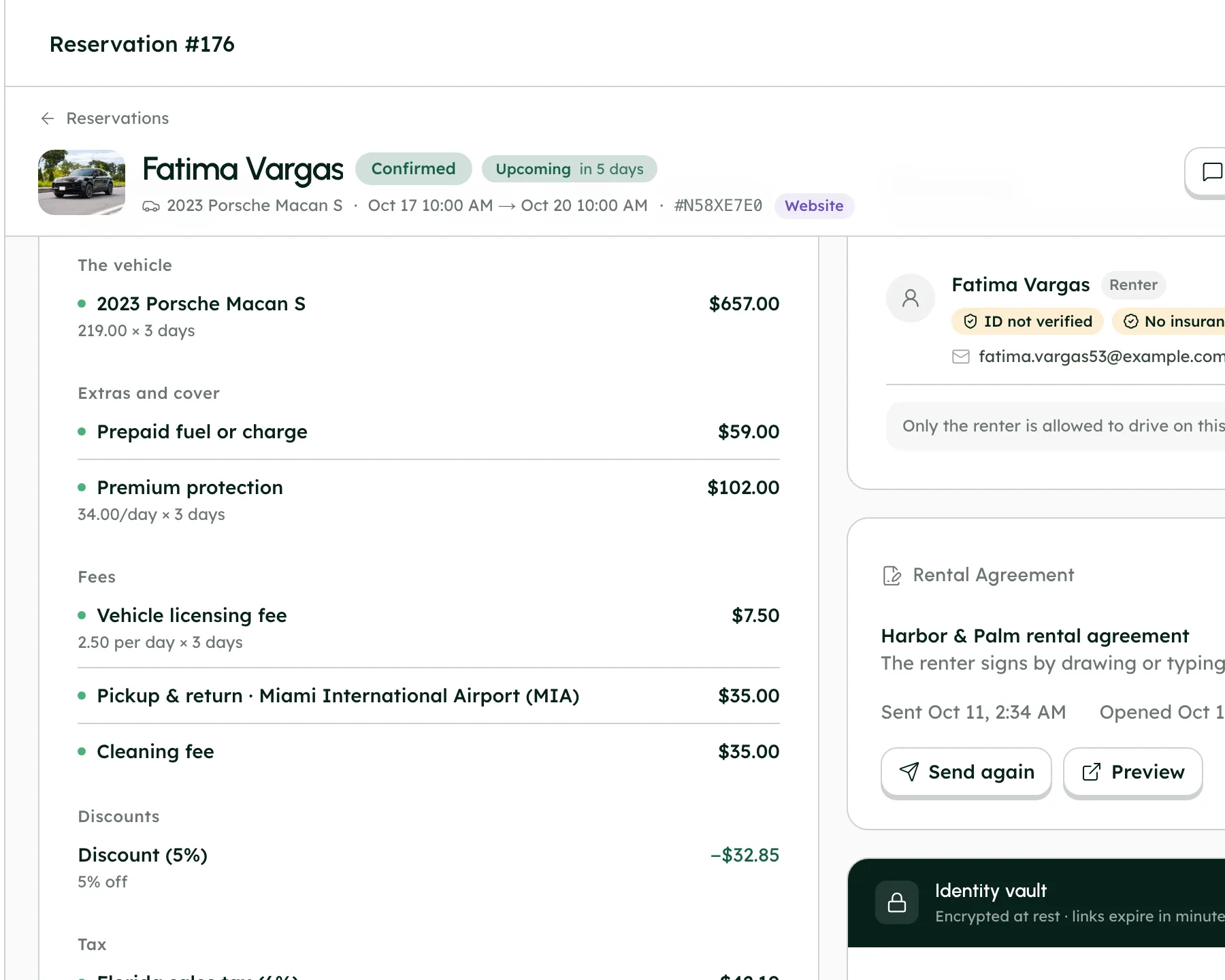
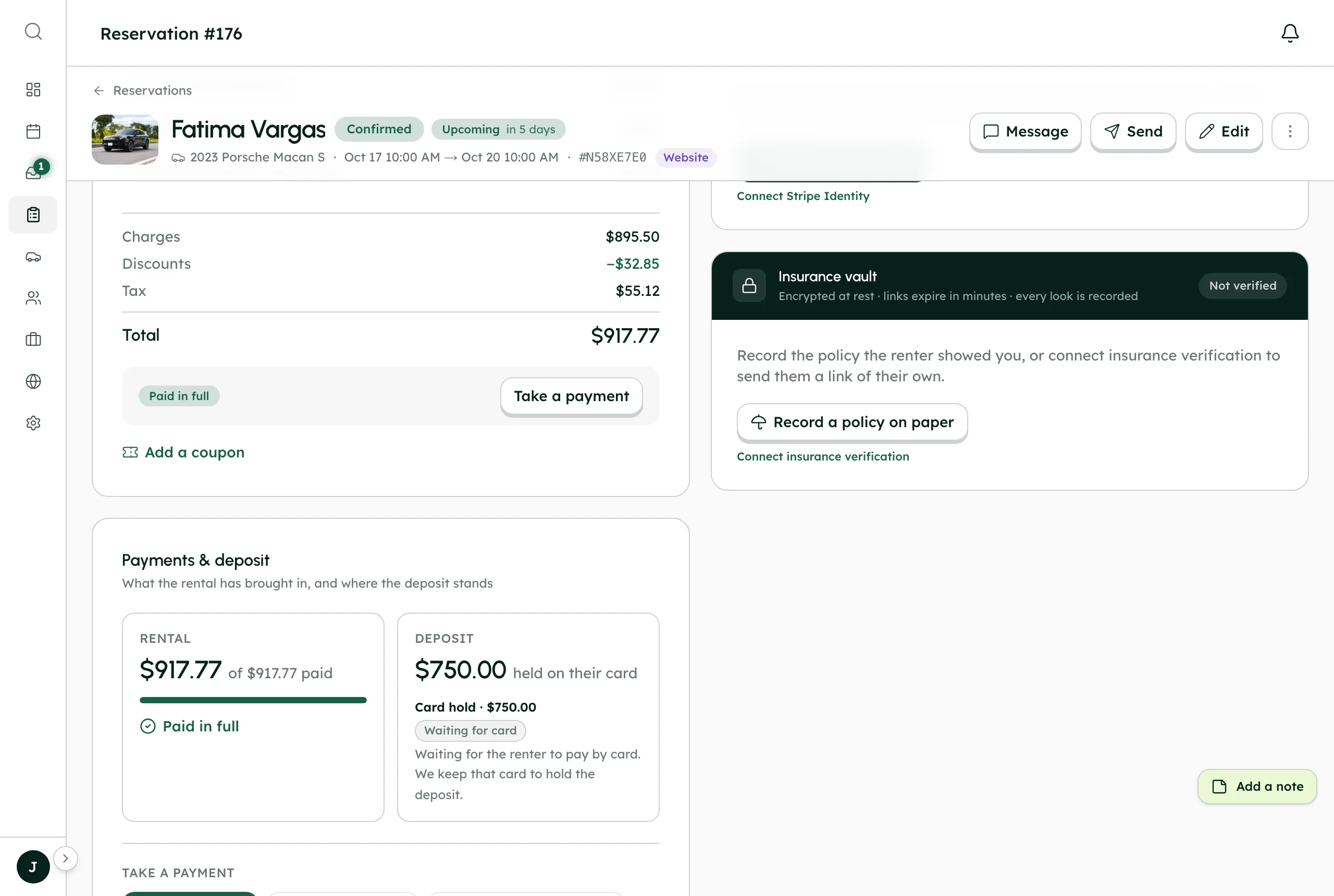
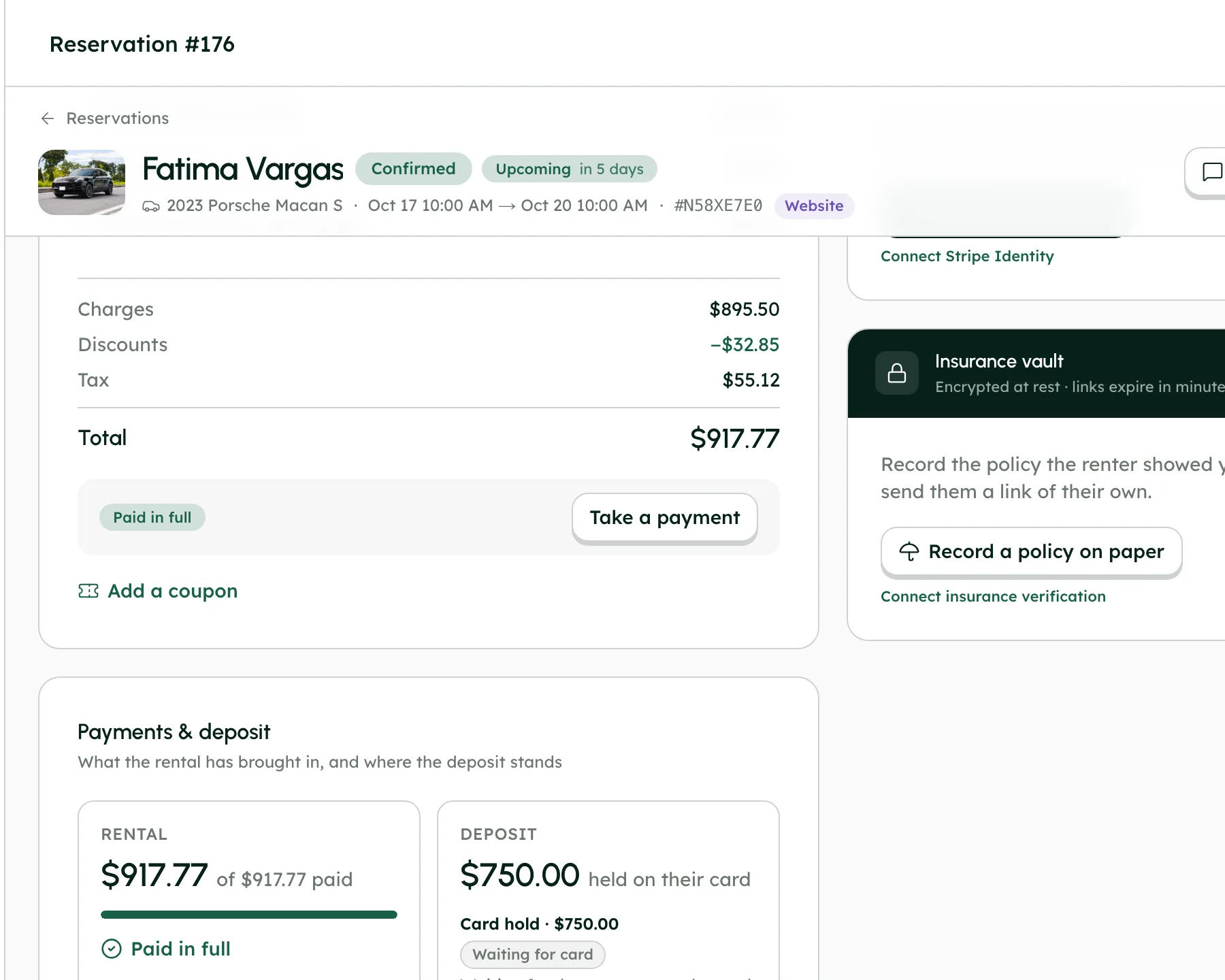
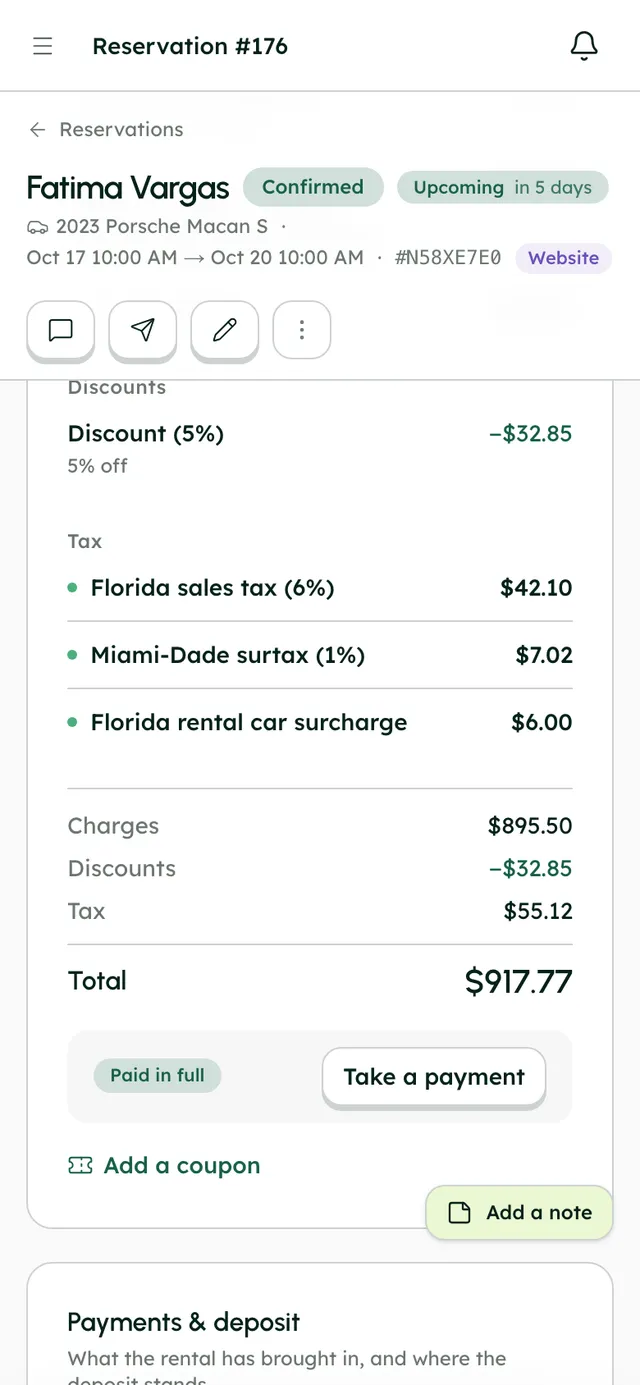
Set your rates once. The server does the sums.
- Coupons with expiry, usage limits and first-booking-only
- Deposits as a card hold or a charge refunded later
- Invoices with numbered versions, as PDF or PNG
2022 Ford Mustang GT Convertible
Your total
Choose your dates to see the price.
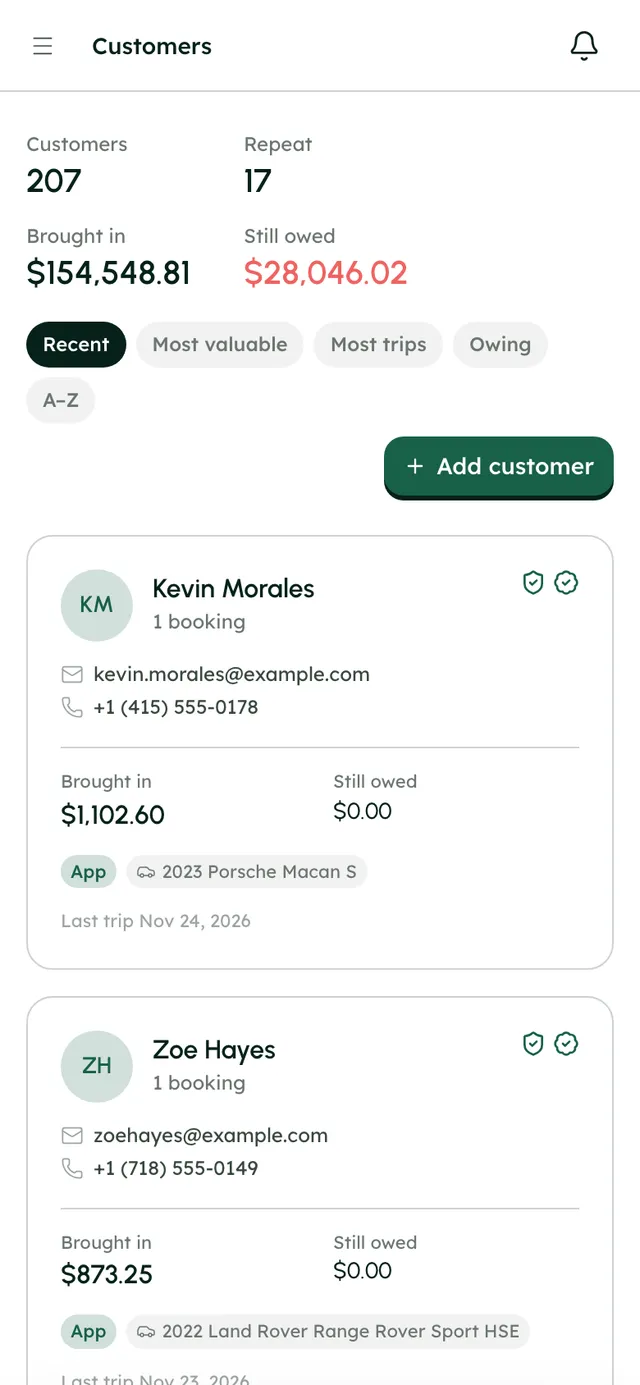
Every booking adds to your customer list.
- Sort by most valuable, most trips or owing
- Private notes for your team
- Block someone from booking again
Kevin Morales
1 booking
- Brought in
- $1,102.60
- Still owed
- $0.00
Last trip Nov 24, 2026
Zoe Hayes
1 booking
- Brought in
- $873.25
- Still owed
- $0.00
Last trip Nov 23, 2026
More in Calendar & reservations
On every plan, from the first day of your trial.
Timeline and Month
Each car on its own row, or the whole month on one grid.
Drag to reschedule
Move or resize a booking and see the new price and the difference before you confirm.
Blocks
Close dates for maintenance, personal use, cleaning or off-season from any empty cell.
Today panel
Today's pickups and returns, plus the week's utilization and earnings.
Date holds
An unfinished checkout holds the dates for a time you set, 30 minutes by default.
Edits that add up
Every edit shows the old and new totals and what's left to collect or refund.
Turo trips
Your calendar syncs with Turo. Turo trips show read-only, on the right car.
Google Calendar
Push your bookings to your own Google Calendar, one way.
Reservation list
Tabs for upcoming, favorites, assigned to me, alerts and archived, with bulk actions and CSV export.
One booking, handed on.
Follow Fatima's Porsche Macan S from chapter to chapter. Each one hands the booking on, so nothing is copied across by hand.
Good to know
- Google Calendar is one-way: bookings go from RentHive to Google, and changes made in Google aren't read back. Apple Calendar, Outlook and iCal feeds aren't available.
- Syncing brings your Turo trips into RentHive. RentHive doesn't post to Turo or change your Turo calendar, so block dates you book direct on Turo yourself.
- Prices are in US dollars only.
Questions, answered
More in the Help Center, or email us any time.
Can I move a booking on the calendar?+
Yes. Drag a booking to move it, or drag its edge to change the dates. RentHive reprices it and shows you the difference before you confirm.
What happens to the price when I edit a booking?+
The edit shows the old and new totals and what's left to collect or refund. Bookings keep the prices they were sold with, so changing your rates later doesn't touch existing trips.
How do I block a car for maintenance or personal use?+
Click an empty cell on the Calendar and add a block: maintenance, personal use, cleaning or off-season. A maintenance job saved in Management → Maintenance blocks the car automatically, on the calendar and on your website.
Does a half-finished checkout hold the car?+
Yes, for as long as you set under “Hold unfinished bookings for” (30 minutes by default). After that the dates go back on sale, and the first renter to pay gets them.
Does RentHive sync with Google Calendar?+
It pushes your bookings to your own Google Calendar, one way, once you connect it in Settings → Integrations → Google Calendar. Changes made in Google aren't read back.
Do Turo trips show on the calendar?+
Yes. Connect Turo in Settings → Integrations and your Turo trips show read-only on the right car, beside your direct bookings, and block those dates on your booking website.
Your fleet, your customers, your money.
Start a 7-day free trial with no card, or book a call and we'll set it up with you.
0% commission · Cancel any time · 24/7 support by email